The original iPad, a pioneering device that ushered in the tablet era, might be a decade and a half old, but for many, it still holds a place in hearts (and perhaps on kitchen counters or bedside tables). If you’re dusting off your classic slate or acquired one for a touch of digital nostalgia, you’ll quickly realize that not every contemporary accessory plays well with this grand old dame. Navigating the world of Essential Accessories and Peripherals for the iPad 1st Generation requires a trip down memory lane, understanding its unique hardware, and knowing exactly what works—and what doesn't.
This isn't about transforming your original iPad into a modern powerhouse, but about maximizing its existing capabilities, whether for casual browsing, retro gaming, or simply appreciating a piece of tech history.
At a Glance: Gearing Up Your Original iPad
- The 30-pin connector is king: Forget Lightning or USB-C; all original iPad accessories revolve around this port.
- Bluetooth is your wireless friend: For keyboards and some audio, Bluetooth is the primary wireless option.
- Modern Apple accessories won't work: Smart Covers, Apple Pencils, Smart Keyboards, AirPods, and most Lightning/USB-C adapters are incompatible.
- Protection is paramount: Even an old iPad needs a good case to preserve its vintage charm.
- Camera Connection Kit is versatile: More than just for cameras, it unlocks USB device compatibility.
- Managing expectations is key: The accessories enhance, but don't overhaul, its original functionality.
Understanding the Original iPad's Unique Needs
Before diving into specific gear, it’s crucial to remember what makes the first-generation iPad distinct. Launched in 2010, it ran early versions of iOS (up to iOS 5.1.1), predating many features and hardware standards we now take for granted. It features Apple's venerable 30-pin dock connector, a standard that served Apple devices for years before the advent of Lightning. There's no Smart Connector, no magnetic side for accessories, and its Bluetooth capabilities are older generations.
This means you can't simply grab any "iPad accessory" off the shelf and expect it to work. We're looking for gear specifically designed for—or compatible with—this particular era of Apple technology. For those interested in its origins, you can Learn about the iPad 1st generation to truly appreciate its place in history.
Safeguarding Your Slab: Cases and Covers
Even if your original iPad isn't leaving the house, a good case protects it from everyday bumps, scratches, and dust, preserving its aluminum unibody. Back in the day, Apple offered a rather specific solution.
The Apple iPad Case: The Official First-Gen Shield
For the original iPad, Apple released a dedicated Apple iPad Case. This wasn't a magnetic Smart Cover (those came later with the iPad 2); instead, it was a more traditional, structured case. It typically featured a microfiber interior to protect the screen and aluminum back, and its design allowed it to fold into a stand.
Think of it as a protective shell that also offered basic functionality. While it didn't automatically wake your iPad when opened, it provided solid all-around protection and the convenience of propping up your device for viewing videos or typing. Finding an original in good condition today can be a bit of a hunt, but third-party alternatives also existed and might still be available from vintage electronics sellers.
What to look for in a case for your original iPad:
- Full coverage: Wraps around the back and edges, protecting the screen when closed.
- Durable material: Leather, sturdy synthetic, or silicone that hasn't degraded with age.
- Stand functionality: A folding cover or integrated kickstand for hands-free viewing.
- Access to ports: Ensures the 30-pin connector, headphone jack, and buttons are unobstructed.
Incompatibility Alert: Don't confuse the original iPad Case with the later Smart Cover or Smart Case. Those relied on magnetic attachments and automatic wake/sleep features that the first-generation iPad simply doesn't possess.
Enhancing Input: Keyboards for the Classic iPad
Typing on a glass screen is fine for short bursts, but for anything substantial, a physical keyboard makes a world of difference. Since the original iPad doesn't have a Smart Connector, your options are distinctly vintage.
Bluetooth Keyboards: Your Best Wireless Bet
The most practical and common way to add a physical keyboard to your original iPad is through Bluetooth keyboards. These are wireless keyboards that pair with your iPad via Bluetooth. Many brands, including Apple (with its older Bluetooth Wireless Keyboard) and numerous third-party manufacturers, produced compatible keyboards.
Key considerations for Bluetooth keyboards:
- Compatibility: Ensure it's an older Bluetooth standard that your iPad (iOS 5.1.1) can recognize. Most generic Bluetooth keyboards should work.
- Power: Many run on AA or AAA batteries, while some have built-in rechargeable batteries (check their age and health).
- Ergonomics: Choose between compact travel keyboards or full-sized options for extended typing sessions.
- Pairing: Go to
Settings > General > Bluetoothon your iPad, turn Bluetooth on, and put the keyboard in pairing mode.
USB Keyboards (via the Camera Connection Kit): A Niche Option
This is where things get interesting. While not a direct plug-and-play solution, the iPad Camera Connection Kit wasn't just for cameras. It came with a USB adapter (among others) that could connect to various USB peripherals, including USB keyboards.
If you have an old wired USB keyboard lying around, and the Camera Connection Kit, you might be able to get it working. This is less convenient than Bluetooth due to the cable and adapter, but it offers a robust, driver-free connection if you don't mind the tether. This kit also opens doors to other niche accessories.
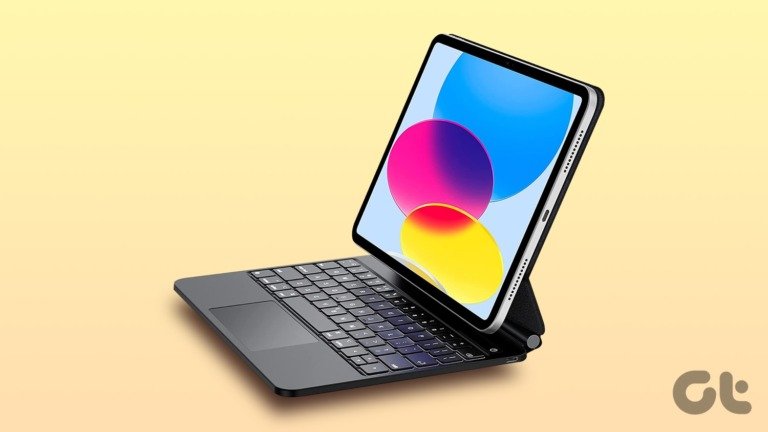
Incompatibility Alert: Apple's modern Smart Keyboard and Magic Keyboard are not compatible. These rely on the Smart Connector, a proprietary port found on later iPad models (iPad Pro, recent iPad, and iPad Air models) that the first-generation iPad simply doesn't have.
The Sound Experience: Audio Accessories
The original iPad has a built-in speaker and a standard 3.5mm headphone jack. This gives you straightforward options for enjoying audio.
Wired Headphones: The Reliable Standard
Any pair of 3.5mm wired headphones or earphones will work perfectly with your original iPad. This includes classic Apple EarPods with the 3.5mm connector, or any other brand of wired audio gear. They're plug-and-play, require no charging, and offer consistent audio quality.
What to look for:
- Standard 3.5mm jack: The universal standard.
- Comfort and sound quality: Choose based on your personal preference.
- Durability: Good quality cables will last longer.
Bluetooth Headphones/Speakers: Wireless Freedom
Just as with keyboards, you can pair Bluetooth headphones or Bluetooth speakers with your original iPad. This provides a wireless listening experience, which is particularly useful if you want to share audio with others (via a speaker) or move freely without cables.
Considerations for Bluetooth audio:
- Battery life: Both the iPad and the Bluetooth accessory will need to be charged.
- Bluetooth version: Older Bluetooth devices might pair more reliably with the iPad's older Bluetooth standard, but most modern headphones should be backward compatible.
- Pairing process: Similar to keyboards, find your device in the Bluetooth settings.
Incompatibility Alert: Apple's AirPods are not compatible with the original iPad. AirPods, released in 2016, require specific iOS/iPadOS versions (e.g., iOS 12.2+ for 2nd Gen, iPadOS 13.2+ for Pro) that the first-generation iPad (maxing out at iOS 5.1.1) cannot run.
Powering Up & Hooking Up: Cables and Adapters
The 30-pin dock connector is the gateway for charging, syncing, and connecting various peripherals to your original iPad.
The Essential Power Cord: 30-pin Connector
Your most fundamental accessory is the iPad Power Cord with its 30-pin connector. This cable, combined with a wall adapter, is how your iPad gets its juice and syncs with a computer. Without it, your journey with the original iPad quickly ends. If yours is lost or damaged, replacements (often third-party) are still available online. Ensure you get one that explicitly states 30-pin compatibility.
iPad Camera Connection Kit: The Multi-Talented Workhorse
We briefly mentioned this for keyboards, but the iPad Camera Connection Kit deserves its own spotlight. This kit, designed for all iPad generations (including yours!), was a game-changer for expanding the iPad's utility. It typically included two adapters:
- USB Adapter: A short cable with a female USB-A port. This allowed you to import photos and videos directly from digital cameras (or USB flash drives) to your iPad. Crucially, it also supported USB audio cards, MIDI keyboards, and general keyboards. This adapter truly unlocked a lot of hidden potential for the original iPad.
- SD Card Reader: A slot for directly inserting SD cards to import media.
This kit effectively turns your original iPad into a hub for certain USB devices, making it far more versatile than it appears.
Video Out: Sharing Your Screen (with Caveats)
While the original iPad wasn't a powerhouse for video mirroring, you could still output content to external displays using specific cables. This was more about showing videos or presentations rather than full screen mirroring, which largely arrived with the iPad 2.
- Apple Composite AV Cable: This cable connected your iPad (or iPad 2) to TVs or home cinema systems using composite video and stereo audio plugs. It uses the 30-pin connector but does not mirror the display. Instead, it outputs video from apps that support external display, typically in standard definition.
- Apple 30-pin to VGA Adapter (formerly iPad VGA Adapter): This adapter allowed you to output video to a VGA display (like a monitor or projector). It used the 30-pin connector but provided no audio output through the adapter itself, nor simultaneous charging. For the original iPad, this was primarily for supported apps, not full mirroring. The ground truth states video mirroring up to 1080p came with iPad 2 or later, and 720p with iPhone 4S, suggesting limited or no mirroring for the original iPad.
Important Distinction: The Apple Digital AV Adapter, while using the 30-pin connector and offering HDMI output, was "Released with iPad 2" and supported video mirroring up to 1080p for "iPad 2 or later." The original iPad's hardware wasn't designed for seamless 1080p mirroring, so while the cable might physically connect, its full mirroring capabilities would likely be limited or non-existent on the first generation. Stick to the Composite AV or VGA for basic video output.
Desktop Convenience: Docks
For a more stationary setup, an iPad dock offered a convenient way to charge, sync, and even output audio.
The 30-pin iPad Dock: A Charging & Audio Hub
While the ground truth mentions a specific iPad Dock "molded for the iPad 2 (and compatible with 3rd Generation iPad)," the concept of a dedicated 30-pin dock was very much alive for the original iPad. These docks typically held the iPad upright, making it a desk clock, photo frame, or secondary display. They often included a "Line Out" port, allowing you to connect your iPad to external speakers or a stereo system for higher quality audio playback.
Finding an original Apple dock for the first generation iPad might be challenging, but third-party 30-pin docks were also common. These are ideal for turning your vintage iPad into a dedicated media player or smart display for your home office.
What to look for in a dock:
- 30-pin connector: Essential for compatibility.
- Stable design: Holds the iPad securely.
- Line Out port: A great bonus for better audio.
- Charging and syncing: Most docks handle both.
The "Definitely Not Compatible" List: Common Misconceptions
To save you time, money, and frustration, here's a clear list of popular modern Apple accessories that will NOT work with your original iPad:
- Apple Pencil (1st or 2nd Generation): Announced in 2015, the Apple Pencil is designed for much newer iPad Pro models and select other iPads, requiring specific screen technology not present in the original.
- Smart Cover & Smart Case: These magnetic covers, with their automatic wake/sleep functions and multi-fold stands, debuted with the iPad 2 and rely on magnets and sensors that the original iPad lacks.
- Smart Keyboard & Magic Keyboard: These advanced keyboards rely on the Smart Connector, which the 1st generation iPad does not have.
- AirPods (all generations): Released starting in 2016, AirPods require modern iOS/iPadOS versions (e.g., iOS 12.2+ for 2nd Gen, iPadOS 13.2+ for Pro, iPadOS 14.3+ for Max, iPadOS 15.1+ for 3rd Gen) that the original iPad (max iOS 5.1.1) cannot run.
- Lightning Cables & Adapters: The original iPad only uses the 30-pin dock connector. Any accessory that uses a Lightning port (like the Lightning Digital AV Adapter, Lightning to VGA Adapter, etc.) is incompatible.
- USB-C Cables & Adapters: USB-C is even newer than Lightning on iPads. Accessories like USB-C to Lightning Cable, USB-C to USB Adapter, USB-C VGA Multiport Adapter, or USB-C Digital AV Multiport Adapter are entirely out of the question.
Sourcing Vintage Accessories: A Treasure Hunt
Finding accessories for a device from 2010 requires a bit of savvy. Here's where you might look:
- Online Marketplaces: Sites like eBay, Amazon (for older listings), and specialized vintage electronics shops are your best bet. Be specific with your search terms (e.g., "iPad 1st Gen 30-pin case").
- Used Electronics Stores: Local shops specializing in second-hand gadgets might surprise you.
- Family and Friends: You never know who might have an old box of accessories gathering dust.
Buying Tips for Vintage Gear: - Check condition: Especially for cables and cases, look for signs of wear, fraying, or degradation.
- Verify compatibility: Double-check product descriptions to ensure they explicitly state "iPad 1st Generation" or "30-pin connector." Don't assume.
- Read reviews: If buying used, check seller ratings and feedback.
- Consider generic alternatives: For items like Bluetooth keyboards or 3.5mm headphones, non-Apple brands often work just as well and might be easier to find.
Making Your Original iPad Thrive Today
With the right accessories, your original iPad isn't just a museum piece; it can still be a functional device for specific tasks:
- Dedicated Media Player: Use a dock with line-out and a good speaker system to create a timeless music hub.
- Retro Gaming Device: Many classic iOS games still run beautifully on the original iPad, especially with a stand and a Bluetooth keyboard for certain titles.
- Digital Photo Frame: Dock it, load up your favorite albums, and let it display memories.
- Simple Web Browser: For light browsing on familiar sites (though modern sites might struggle).
- E-Reader: Its size and screen are perfect for reading, especially with a good stand.
By thoughtfully selecting compatible accessories, you're not just buying gadgets; you're investing in the continued life and utility of a device that changed the world. It’s a testament to good design that something so foundational can still offer value, even years after its debut. So, go forth, accessorize your original iPad, and enjoy a piece of technological history!